
💳 Replace a Lost or Stolen Debit Card
Follow these simple steps to replace a debit card:
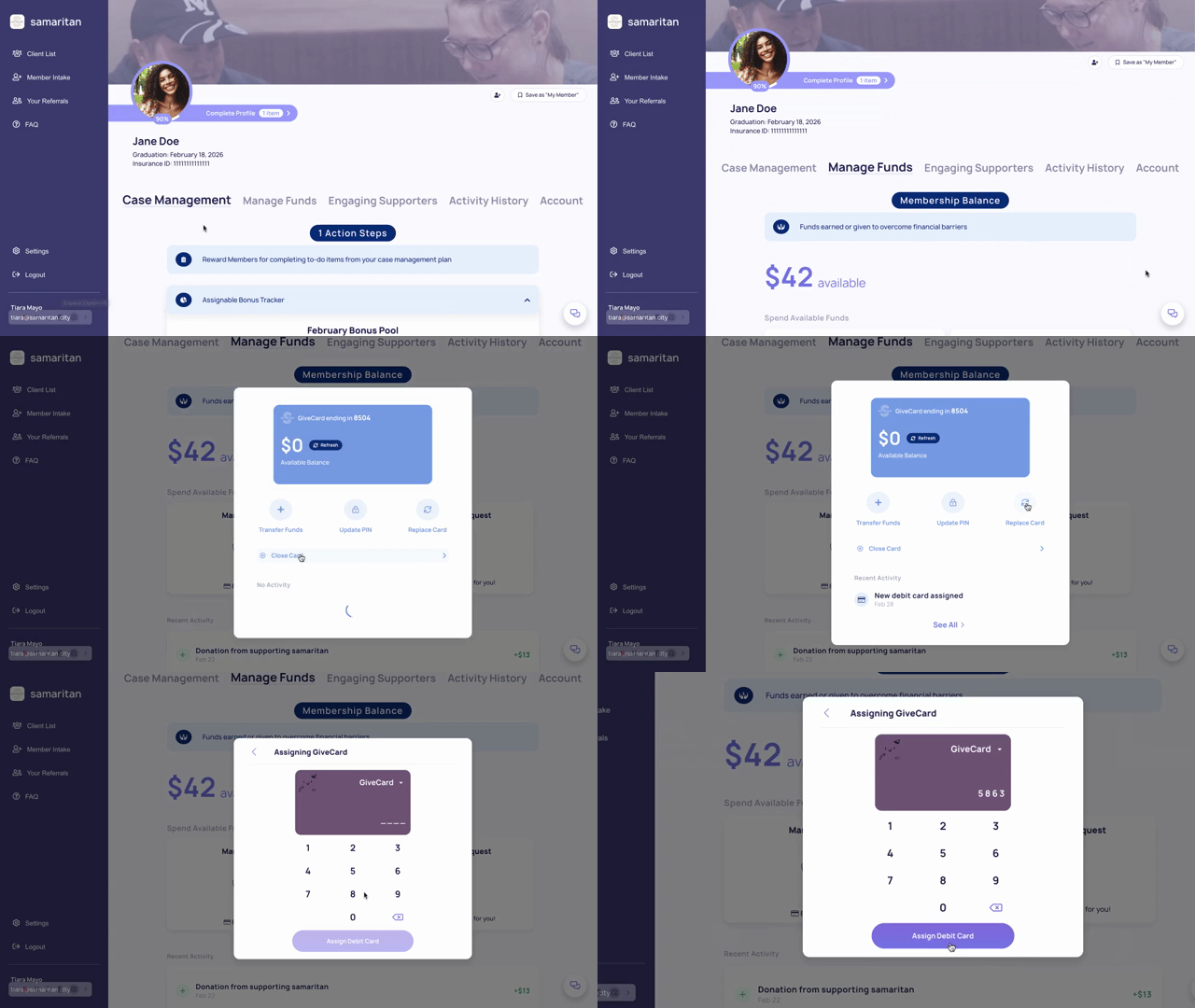
- Navigate to the Member Profile
- Select the Manage Funds tab
- Click Manage Debit Card
- Select Replace Card
- Enter the last 4 digits of the new, unassigned debit card
- Click Assign
What happens next?
- Your previous card will be automatically closed
- Any remaining balance will transfer to the new card
- No additional activation is required
📎 Don’t Have a Replacement Card Yet?
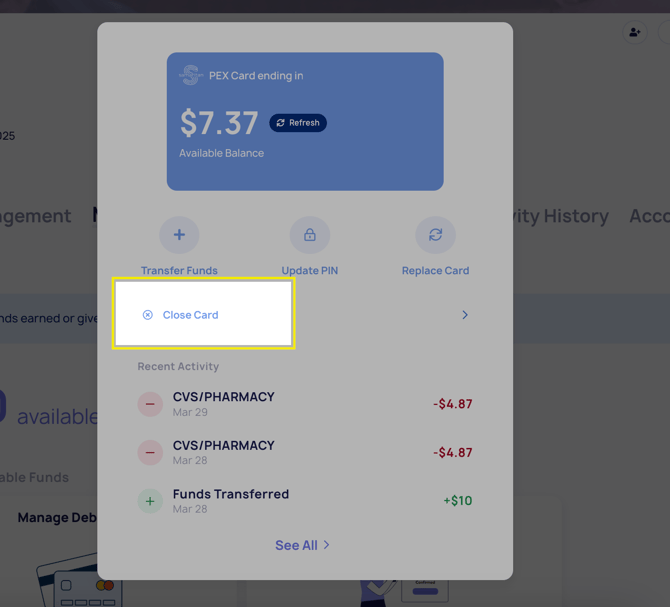
You can still secure the account by closing the current card:
- Navigate to the Member Profile
- Select the Manage Funds tab
- Click Manage Debit Card
- Select Close Card
You can assign a new card at any time when one becomes available. Once assigned, the remaining balance will automatically transfer.
Need Additional Cards?
If you need more debit cards, contact our support team at support@samaritan.city — we’re happy to help.
Fraud Alerts
If you or your client notice any suspicious or fraudulent activity:
- Contact our support team immediately
- We’ll help you submit a fraud claim
- Our team will work to recover eligible funds whenever possible
Next Read: how your Members can use the Samaritan Member Web Portal