
our tap-what-you-hear 2-question survey allows your team to capture a snapshot of where a client is starting out, and allows teams to track social needs and progress over time. status captures are automatically prompted every 4 weeks, and Members can earn $5 for every status capture they complete with their case manager. you can also complete a status capture on-demand whenever your clients experience a life change by selecting "add update" on a Member's profile under the "case management" tab.
viewing change over time
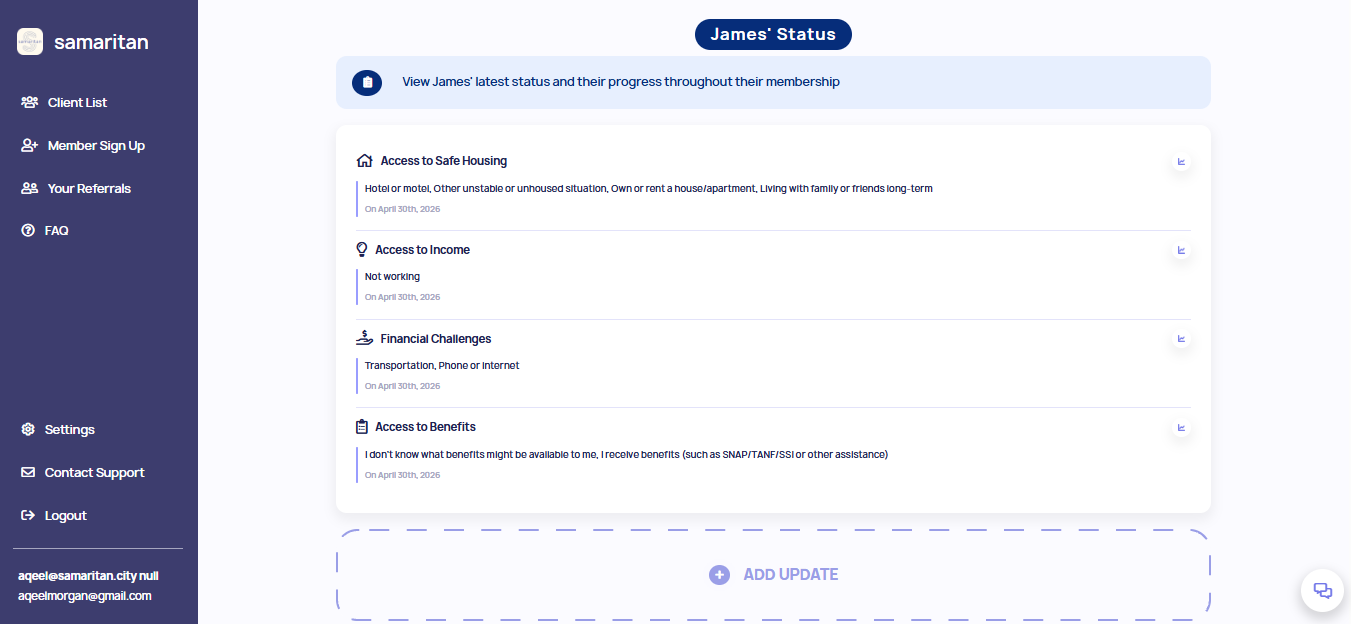
every status that is captured is mapped onto a graph to display progress over time. navigate to a Member's profile and scroll to the "status capture" section under the "case management" tab. clicking the image of a graph next to a category will display the change over time of each category.
life updates
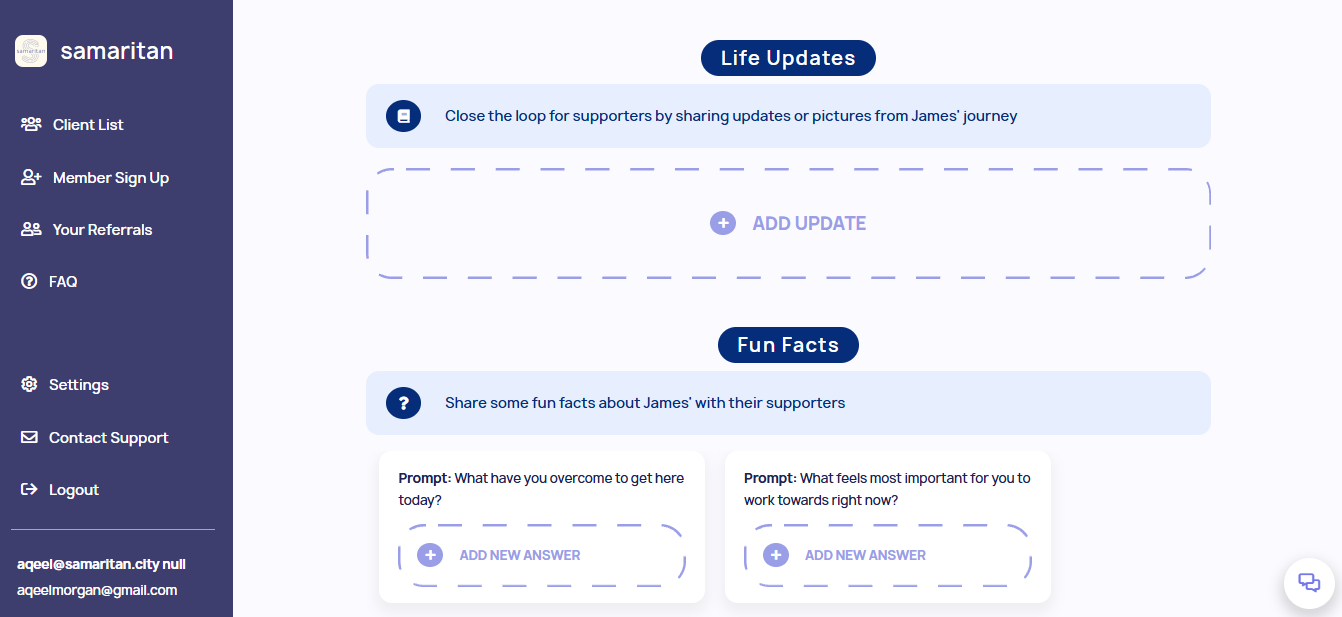
life updates can be found under the "engaging supporters" tab on a Member's profile. any time there is a major life change that your Members want to share with their supporters, you can create a life update to capture and celebrate that progress.
-
navigate to a Member's profile
-
select "engaging supporters" in the top navigation bar
-
select "add life update"
-
include any details about the update and an optional photo
next read: How does my client connect with the samaritan community?